Viptela provides an automatic provisioning software as a service (SaaS) called zero-touch provisioning (ZTP)
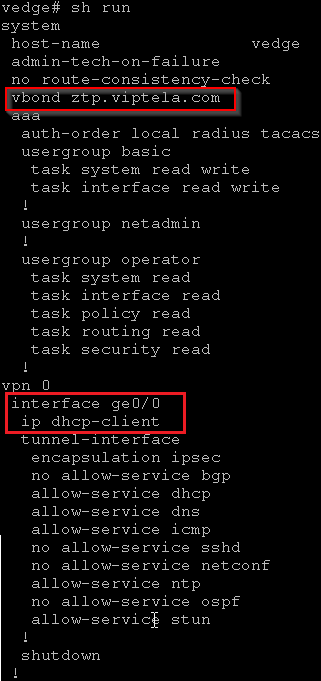
The default configuration that is shipped on non-wireless hardware vEdge routers includes the following commands that allow the ZTP process to occur automatically:
- system vbond ztp.viptela.com—Configures the initial vBond orchestrator to be the Viptela ZTP SaaS server.
- vpn 0 interface ip dhcp-client—Enables DHCP on one of the interfaces in VPN 0, which is the transport interface. This interface must be connected to the Internet, MPLS, metro Ethernet, or other WAN network. Note that the actual interface in the default configuration varies by router model.
- For vEdge 1000 routers: ge0/0
- For vEdge 2000 routers: ge2/0
- For vEdge 100 series routers: ge0/4
ZTP process:
- vEdge is powered on
- Getting IP address from DHCP
- Resolve ztp.viptela.com and receives the IP address of the Viptela ZTP server
- The ZTP server verifies the vEdge router and sends the IP address of the vBond orchestrator (same organization)
- Connection to the vBond orchestrator and provides the chassis ID and serial number for verification. vBond sends the IP address of the vManage NMS to the router.
- Connection to the vManage NMS and is verified by the NMS. The vManage NMS sends the router its system IP address.
- Re-establishes a connection to the vBond orchestrator using its system IP address.
- Re-establishes a connection to the vManage NMS using its system IP address. The vManage NMS pushes the image got upgrade and the full configuration to the router
Note: For the ZTP process to succeed, the vManage NMS must contain a device configuration template for the vEdge router. If the NMS has no template, the ZTP process fails.
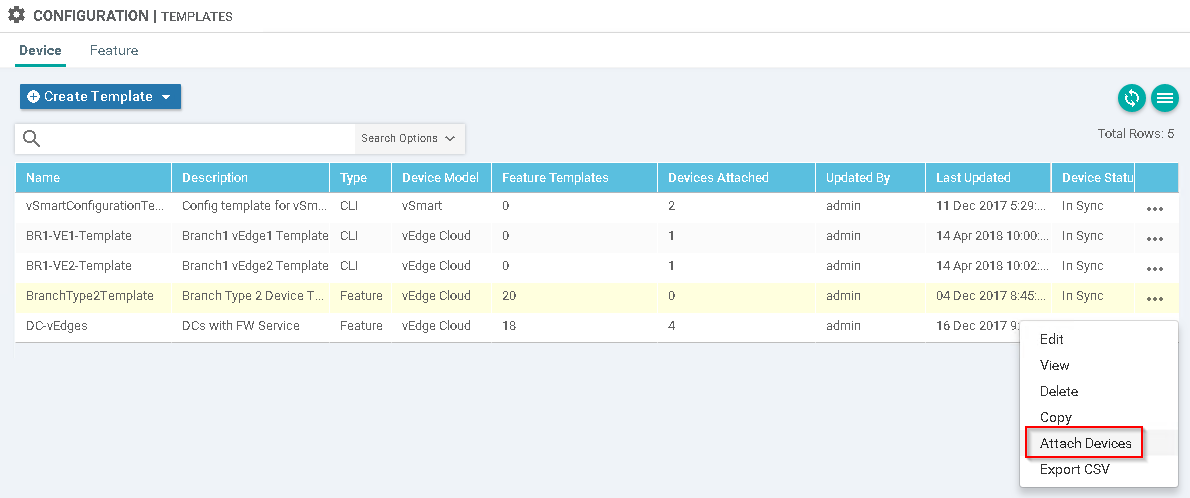
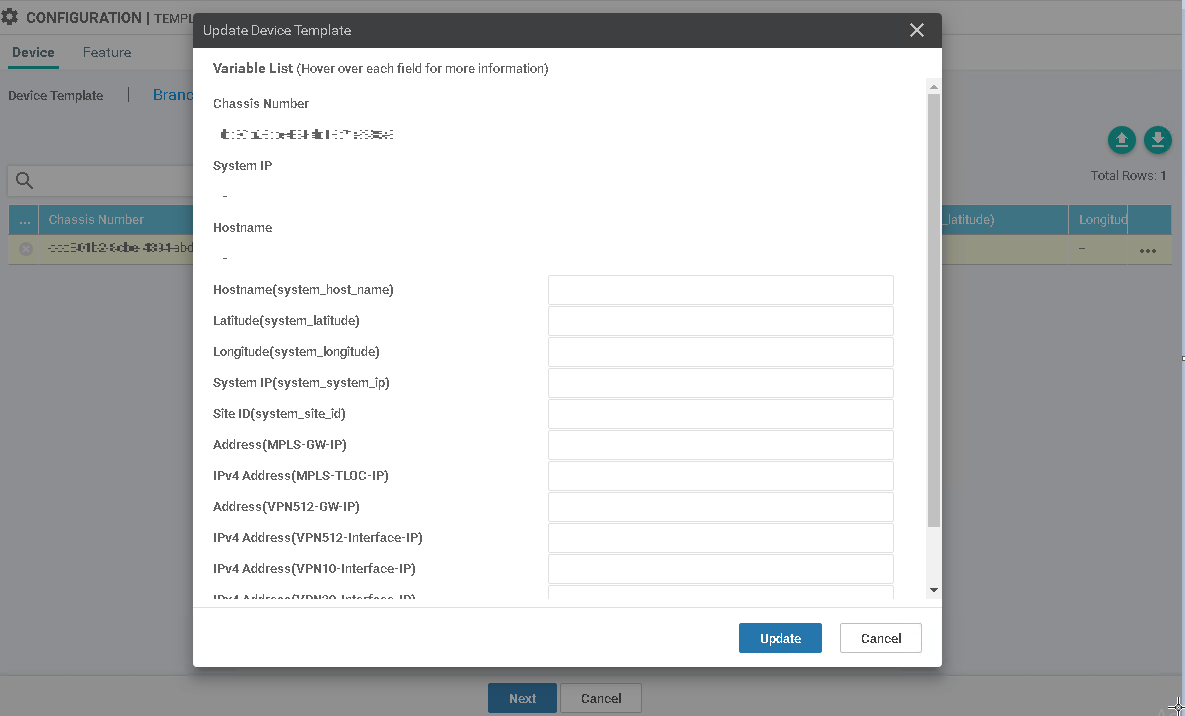
The Template could be filled out manually or using csv file.
By default:
- vbond ztp.viptela.com
- interface vp0 - ip dhcp-client
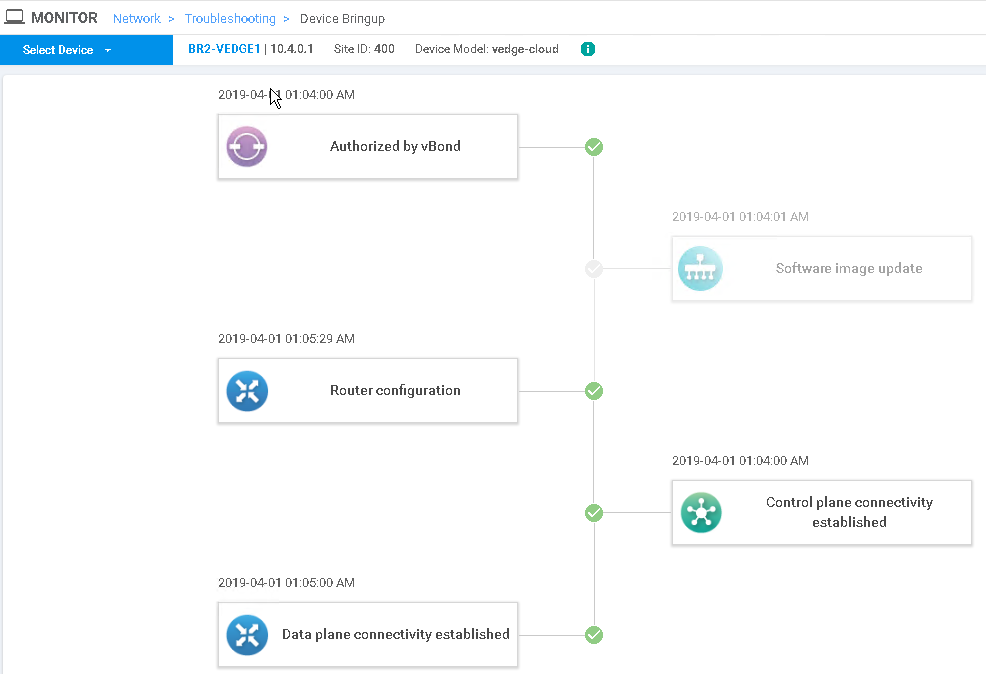
No shut interface and the BR2-VEDGE1 will come up and be ready to go. Here is a log of the Device Bring up process: