vPC Order of Operations
-
IP connectivity for Peer Keepalive
-
Enable vPC & LACP globally
-
Create vPC domain
- define Peer Keepalive address
- configure vPC role priority (Optional) - lower priority => vPC primary switch. (default 32667)
-
Establish Port Channel for vPC Peer link
-
Verify vPC Consistency Parameters
-
Disable vPC Member Port (optional but recommended)
-
Configure vPC Member Ports
-
Enable vPC Member Ports
-
Make sure keepalive links is up and check IP reachability (mgmt0 could be used)
-
Turn features on globally
conf t
 feature vpc
feature lacp- Create vPC domain
conf t
 vpc domain 1
 peer-keepalive destination 192.168.0.52
 role priority 2000
!management VRF will be used as the default VRF
To use the default vrf:
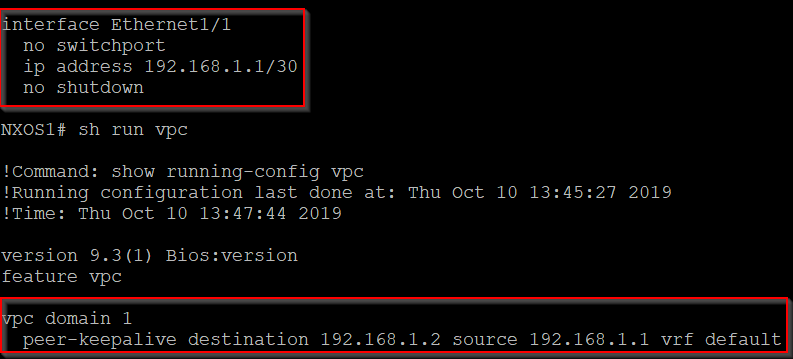
Even better way - separate vrf just for keepalive link to isolate it from the data plan:
vrf context VPC-PEER-KEEPALIVE
!
interface Ethernet1/1
  no switchport
  vrf member VPC-PEER-KEEPALIVE
  ip address 192.168.1.1/30
!
vpc domain 1
  peer-keepalive destination 192.168.1.2 source 192.168.1.1 vrf VPC-PEER-KEEPALIVE
show vpc
=> peer is alive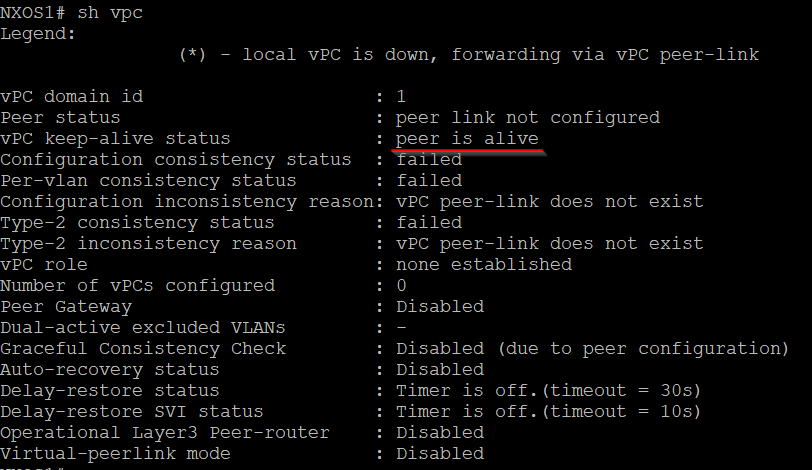
- Create Peer link (LACP!)
conf t
 int e1/1-3
     channel-group 50 mode active
 int po50
     switchport mode trunk
     vpc peer-link
**show vpc
**=> peer adjacency formed ok
=> vPC role: primary/secondary
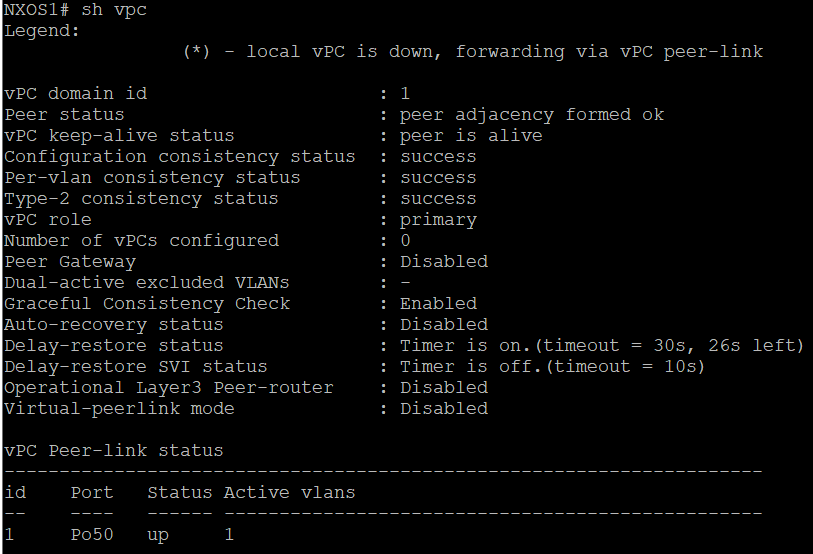
show cfs application
=> vpc yes
show vpc peer-keepalive**- vPC Consistency Parameters
show vpc consistency-parameters global
=> match, fix if not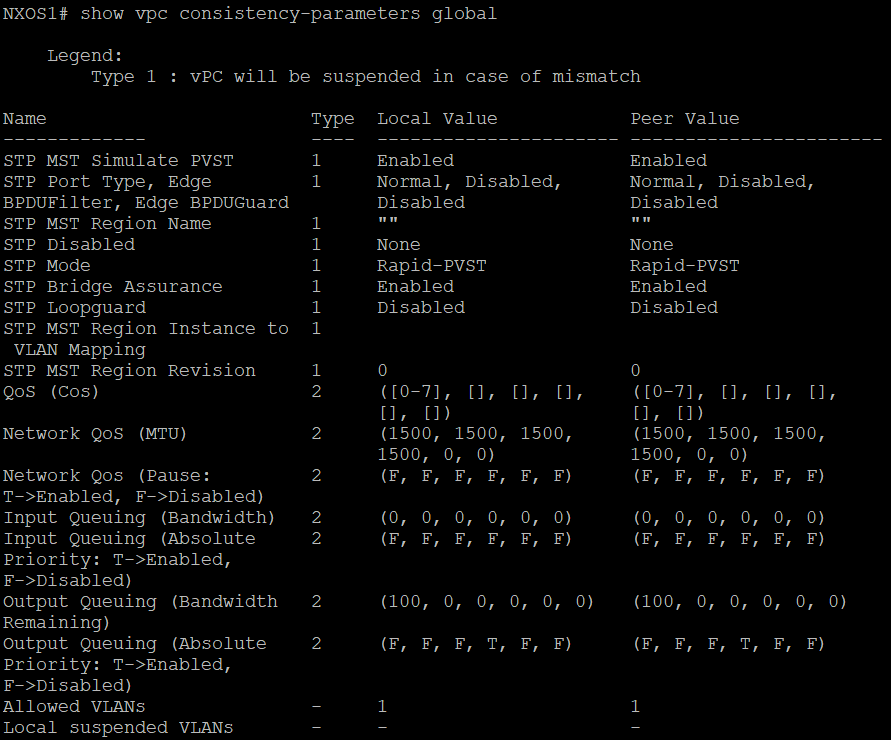
6-8 Member port
conf t
 int e1/24
     shut
     channel-group 51 mode on
 int po51
     switchport mode access
     switchport access vlan 10
     vpc 51
 int e1/24
     no shut
show vpc
=> vPC status, consistency = success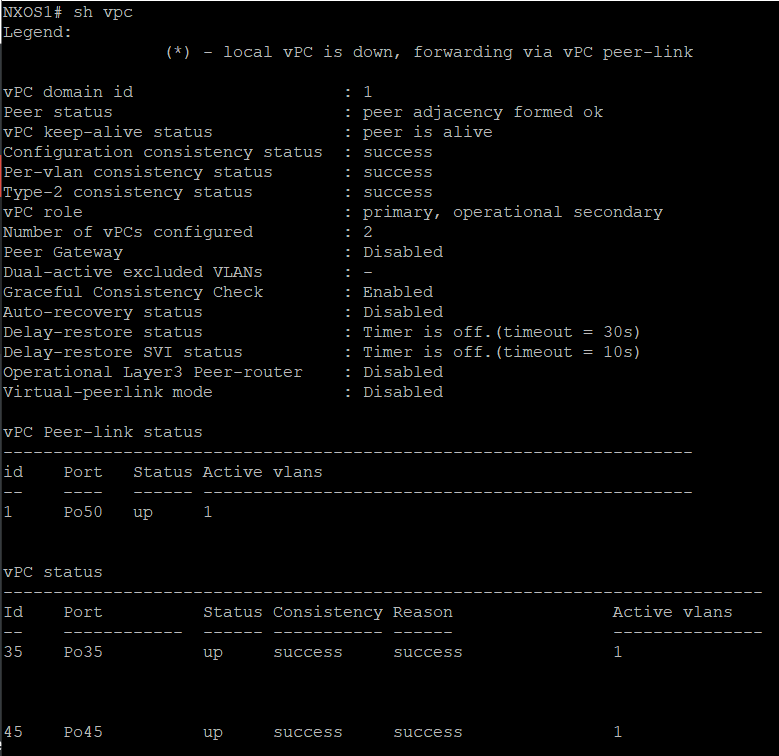
How to check which link is in use on wich vPC peer:
**show int e1/24 | in "input|output packet"**
and check counters
VLAN needs to be added to both vPC peers and allowed over Peer Link.
Entire config:
conf t
feature vpc
feature lacp
!
vpc domain 1
peer-keepalive destination 192.168.0.52
!
!
int e1/1-3
    channel-group 50 mode active
int po50
	switchport mode trunk
	vpc peer-link
!
!
int e1/24
	shut
	channel-group 51 mode on
int po51
	switchport mode access
	switchport access vlan 10
	vpc 51
int e1/24
	no shut
vPC Loop Prevention
via vPC Check:
- Frames received in the vPC Peer Link cannot flood out a vPC Member Port while the remote vPC Peer has active vPC Members in the same vPC